C-Suite Perception of AI Has Shifted: Five Key Insights
Joe Andrews
Chief Marketing Officer, SupportLogic
Customer SuccessSupport Experiencecustomer experiencecustomer satisfactiongenerative AISX Live
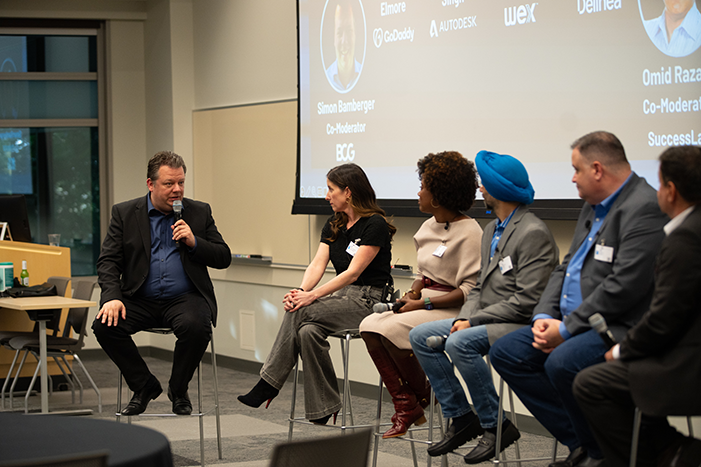
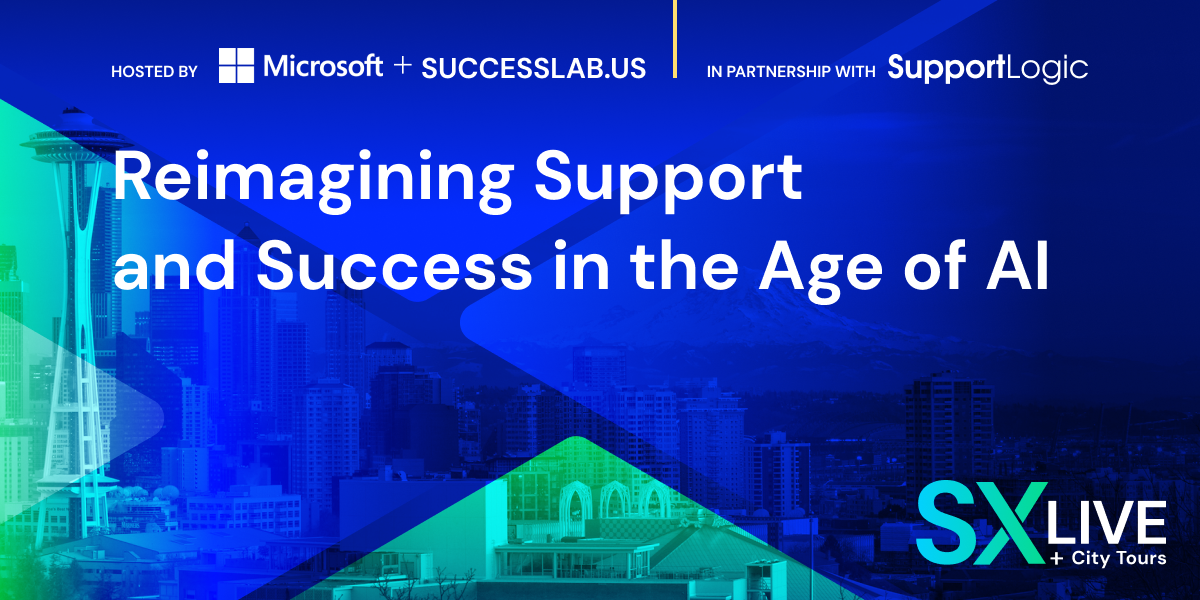
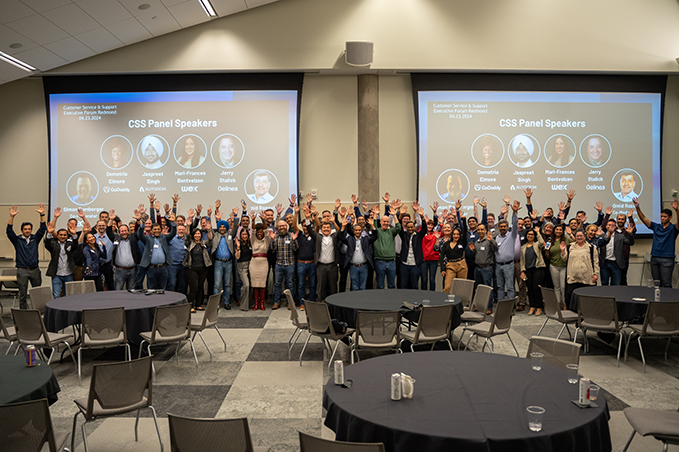
This week, senior leaders in customer support and success joined together at the Microsoft campus in Redmond, WA to network and share their experiences in leveraging generative and predictive AI technologies in customer service.
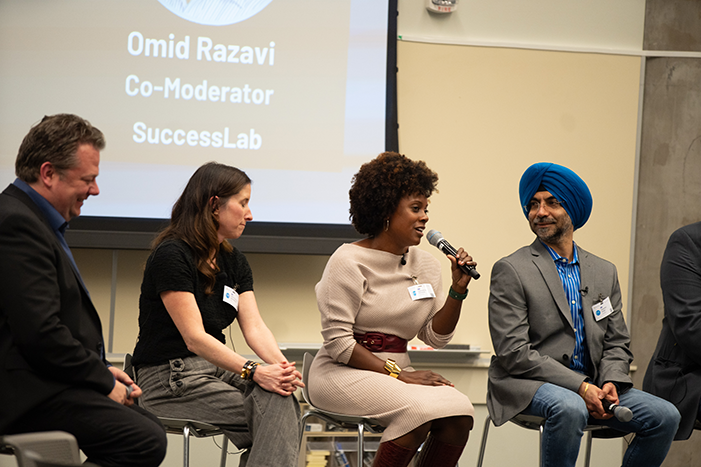
At the event, BCG partner Simon Bamberger shared compelling research on GenAI trends and was followed by a presentation from co-host Bryan Belmont, Corporate VP of Customer Service and Support and Microsoft, on their learning from being “customer zero” of the new Microsoft Copilot in Dynamics 365 Customer Service. Finally, an engaging panel of support and success leaders revealed several key themes and lessons that organizations should consider as they embark on their own AI journeys. Follow along as I share my key takeaways.
It’s not hyperbole to say that the opportunity is absolutely massive for companies to use AI to improve the post-sales customer experience and gain operational efficiency in the process. Simon Bamberger shared research that shows customers today spend 14 billion hours per year contacting customer service. It’s difficult to visualize the scale of that number, but it’s the equivalent of every single person in the United States spending 42 hours (one whole working week) talking with customer service. It’s a large “problem set” for AI to help us solve.
Simon also revealed a surprisingly pleasant trend: the C-suite’s perception of Generative AI technologies has dramatically shifted to positive in the past six months as senior executives have quickly come around to supporting AI initiatives. According to BCG’s Digital Acceleration Index (based on a survey of 2,000 global executives), last September 2023, the C-suite was a main blocker of GenAI adoption – more than 50% of executives discouraged the use of GenAI.
Today, however, the perception has shifted greatly towards positive, where:
2 in 3 executives now view GenAI as the most disruptive technological innovation in the next 5 years
33% of executives have already increased digital / AI investments due to the emergence of GenAI.
During the panel, Simon and Omid facilitated a discussion about how organizations are actually leveraging AI to augment human service capabilities along the post-sales customer journey.
Here are the 5 key takeaways from the discussion:
1. AI is a solution, not the end goal. Define the problem first.
Before diving into AI implementation, it’s critical to first define the business problems you are trying to solve. As Mari-Frances Bentvelzen, SVP, Global Customer Success and Operations at Wex, put it, “AI is a solution, let’s be really clear on what problem we’re trying to solve first, and create a very clear business case.” Taking time upfront to identify pain points, inefficiencies, and opportunities will help ensure AI is applied in a targeted, impactful way. The end goal is not simply to use AI, but to leverage it to drive meaningful business outcomes.
It sounds obvious, but in practical terms the goals you strive for may be at opposite ends of the customer journey. Is your company trying to deflect cases and push more customers to self-service AI-driven chatbot interactions? Or is the goal to assist humans to resolve customer issues better and faster?
Simon Bamberger predicted that generative AI will help companies reduce the number of support cases by 80% within the next 3-5 years. Bryan Belmont shared that for more complex enterprise cases there is a real opportunity to use AI agent assist tools like Copilot to save 80% of the time spent on each case that could then be redirected to focus on other areas of the business. Both these goals are worthy to strive for. The question is around priority and sequence.
2. Focus on enhancing both the agent and customer experience.
While cost savings and efficiency gains are important, the panelists emphasized that improving experiences should be the primary focus of AI initiatives. On the agent side, AI can help make their jobs easier by assisting with tedious tasks like drafting emails, after-call notes, and pulling together relevant knowledge articles.
Jaspreet Singh, VP, Customer Technical Success at Autodesk, shared that they use AI to provide agents with real-time product insights and feedback to better serve customers. For customers, AI enables more self-service options, faster response times, and personalized interactions. The key is to balance experience enhancements with efficiency.
This topic spilled over into the networking dinner, as people took different sides about where to invest first. The operational efficiency gains can yield real cost savings, leading to more internal support and budget to invest in AI. However, the agent and customer experiences are ultimately what moves the needle for top-level company metrics like customer retention and revenue.
3. Invest in change management and training to drive adoption.
Implementing AI often represents a significant shift for employees, who may be understandably concerned about how it will impact their jobs. Overcoming resistance requires investing in change management, communication and training. Demetria Elmore, President, Care and Services at GoDaddy, created a prompt engineering course for agents to involve them firsthand in the AI development process and build excitement and support. Mari-Frances Bentvelzen held sessions demonstrating everyday applications of AI to make it real for employees. The panelists agreed: engaging agents early, communicating transparently, and positioning AI as a tool to make their jobs easier is critical for success.
Brian Belmont shared the probability that there will be some employees who won’t be able to make the transition and the best thing to do is have a long runway for new job training. The old adage of ‘people, process, and technology – in that order’ was echoed throughout the evening as a pragmatic guide to temper the excitement over this new technology.
4. Use AI-powered insights to inform the rest of the business.
Support organizations are sitting on a goldmine of customer insights from their interactions. Predictive AI technologies like SupportLogic that process the unstructured data sitting in CRM, call recordings, email and chat threads, and then analyze customer sentiment can help unlock those insights to predict customer behavior and inform decision-making across the business.
Jerry Stalick from Delinia is starting to use AI to identify upsell and cross-sell opportunities and churn risks from support conversations (disclaimer: he is early in his journey with SupportLogic and will report back on his progress and learning soon). Jaspreet Singh is using AI to provide product teams with real-time feedback to influence roadmap priorities. By bubbling up insights beyond support, organizations can become more proactive and customer-centric.
5. Start small and narrow, but architect for the bigger picture.
For organizations early in their AI journey, the panelists recommended starting with small, quick wins to build momentum while designing with the long-term architecture and roadmap in mind. Simon Bamberger shared BCG’s framework of 36 different use cases (as of today) for AI in the support value chain and that the most forward leaning companies are only using maybe 7 or 8.
Demetria Elmore stressed the importance of avoiding “shiny object syndrome” – don’t just jump at the latest AI tools without considering how they fit into the bigger picture. Jaspreet Singh advised stepping back to consider the full customer journey and architecting a cohesive plan, even if you start with isolated use cases.
The rich discussions made it clear that AI is already transforming customer service, with immense potential to enhance experiences, uncover insights, and drive efficiencies. But to realize the full potential, organizations must approach it strategically, define clear objectives, focus on experiences, invest in enablement, and architect for the long-term. By heeding the advice and examples shared by these industry leaders, other organizations can set themselves up for success on their own AI journeys.
If you enjoyed this recap, event videos and additional clips from this discussion will be posted shortly over at SX Live Library.
Contains information related to marketing campaigns of the user. These are shared with Google AdWords / Google Ads when the Google Ads and Google Analytics accounts are linked together.
90 days
__utma
ID used to identify users and sessions
2 years after last activity
__utmt
Used to monitor number of Google Analytics server requests
10 minutes
__utmb
Used to distinguish new sessions and visits. This cookie is set when the GA.js javascript library is loaded and there is no existing __utmb cookie. The cookie is updated every time data is sent to the Google Analytics server.
30 minutes after last activity
__utmc
Used only with old Urchin versions of Google Analytics and not with GA.js. Was used to distinguish between new sessions and visits at the end of a session.
End of session (browser)
__utmz
Contains information about the traffic source or campaign that directed user to the website. The cookie is set when the GA.js javascript is loaded and updated when data is sent to the Google Anaytics server
6 months after last activity
__utmv
Contains custom information set by the web developer via the _setCustomVar method in Google Analytics. This cookie is updated every time new data is sent to the Google Analytics server.
2 years after last activity
__utmx
Used to determine whether a user is included in an A / B or Multivariate test.
18 months
_ga
ID used to identify users
2 years
_gali
Used by Google Analytics to determine which links on a page are being clicked
30 seconds
_ga_
ID used to identify users
2 years
_gid
ID used to identify users for 24 hours after last activity
24 hours
_gat
Used to monitor number of Google Analytics server requests when using Google Tag Manager
1 minute
Marketing cookies are used to follow visitors to websites. The intention is to show ads that are relevant and engaging to the individual user.
HubSpot is an all-in-one marketing, sales, and customer service platform that streamlines business growth.
This cookie is used to recognize visitors who use chat. If the visitor leaves your site before they're added as a contact, they will have this cookie associated with their browser.
13 months
__hssrc
Whenever HubSpot changes the session cookie, this cookie is also set to determine if the visitor has restarted their browser.
session
hs-messages-is-open
This cookie is used to determine and save whether the chat widget is open for future visits.
30 minutes
__hssc
This cookie keeps track of sessions.
30 minutes
hubspotutk
This cookie keeps track of a visitor's identity. It is passed to HubSpot on form submission and used when deduplicating contacts.
13 months
__hstc
The main cookie for tracking visitors.
13 months
hs_langswitcher_choice
This cookie is used to save the visitor's selected language choice when viewing pages in multiple languages.
2 years
hs-membership-csrf
This cookie is used to ensure that content membership logins cannot be forged.
session
__hsmem
This cookie is set when visitors log in to a HubSpot-hosted site.
1 year
hs-messages-hide-welcome-message
This cookie is used to prevent the chat widget welcome message from appearing again for one day after it is dismissed.
1 day
hubspotapi
This cookie allows the user to access the app with the correct permissions.
7 days
__hs_notify_banner_dismiss
This cookie is used when the website uses a Notify consent banner type.
180 days
hs_ab_test
This cookie is used to consistently serve visitors the same version of an A/B test page they’ve seen before.
session
__hs_gpc_banner_dismiss
This cookie is used when the Global Privacy Control banner is dismissed.
180 days
__hs_initial_opt_in
This cookie is used to prevent the banner from always displaying when visitors are browsing in strict mode.
7 days
__hs_cookie_cat_pref
This cookie is used to record the categories a visitor consented to.
6 months
__hs_do_not_track
This cookie can be set to prevent the tracking code from sending any information to HubSpot.
13 months
hubspotapi-csrf
This is used for CSRF prevention - preventing third party websites from accessing your data. Expires after a year.
1 year
__hs_opt_out
This cookie is used by the opt-in privacy policy to remember not to ask the visitor to accept cookies again.
13 months
hubspotapi-prefs
This is used with the hubspotapi cookie to remember whether the user checked the 'remember me' box (controls the expiration of the main cookie's authentication).